For workshops, meetings, retros and research
Great workshop. Now who’s sorting 200 sticky notes?
Roomy turns meetings and workshops into clear, organised boards. It takes the notes while you talk, sorts the wall into themes in one click, and writes the summary for you.
Start a board — it’s free- Free while we’re new
- No credit card
- Works offline
Made for the moments your team thinks out loud
- Design sprints
- Retros
- User research synthesis
- Brainstorms
- Client workshops
- Planning
Sound familiar?
Whiteboards are great — until the meeting ends.
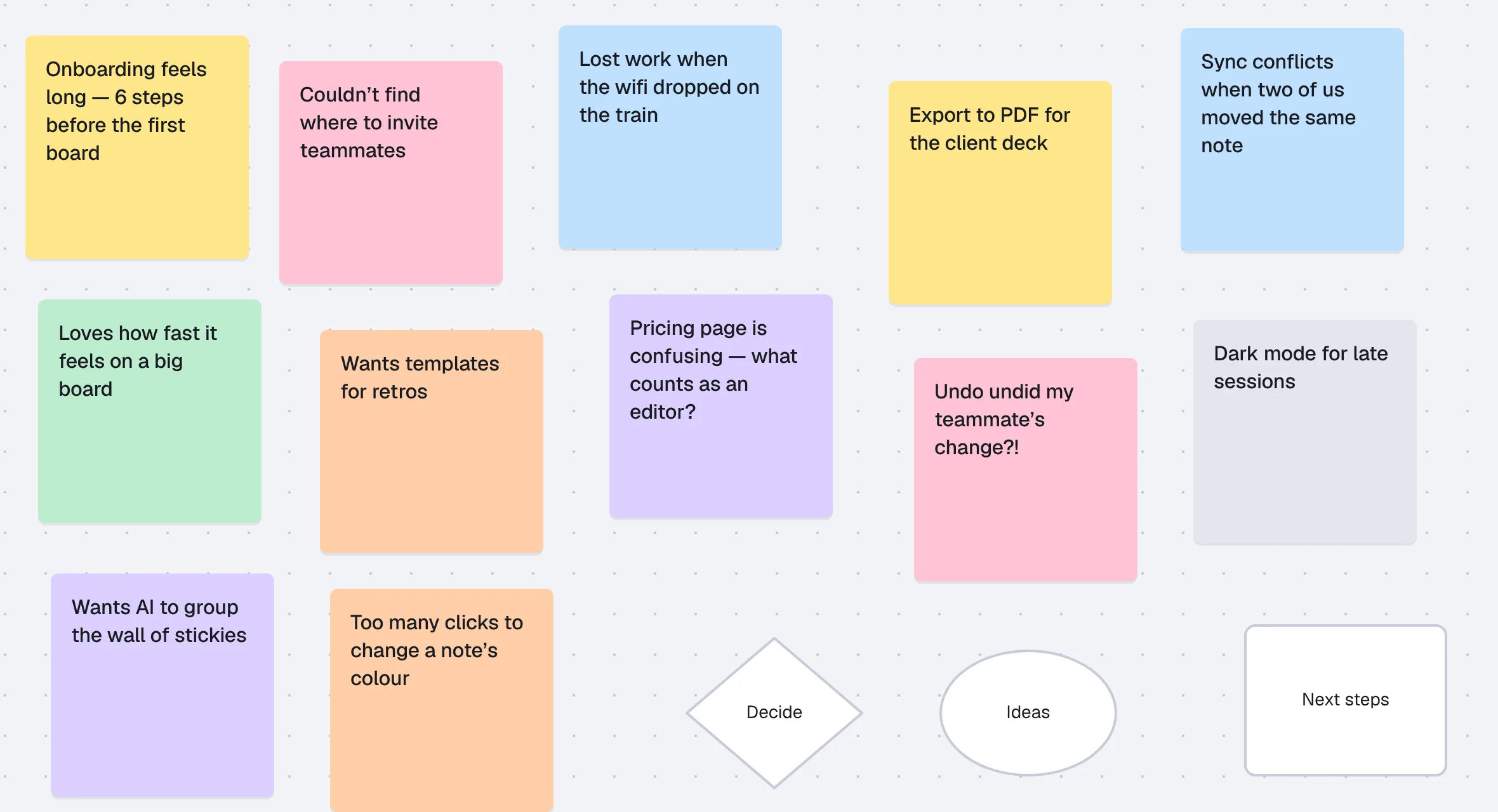
The wall of stickies nobody wants to sort
Everyone adds ideas. Then one person stays behind for an hour, dragging notes into groups.
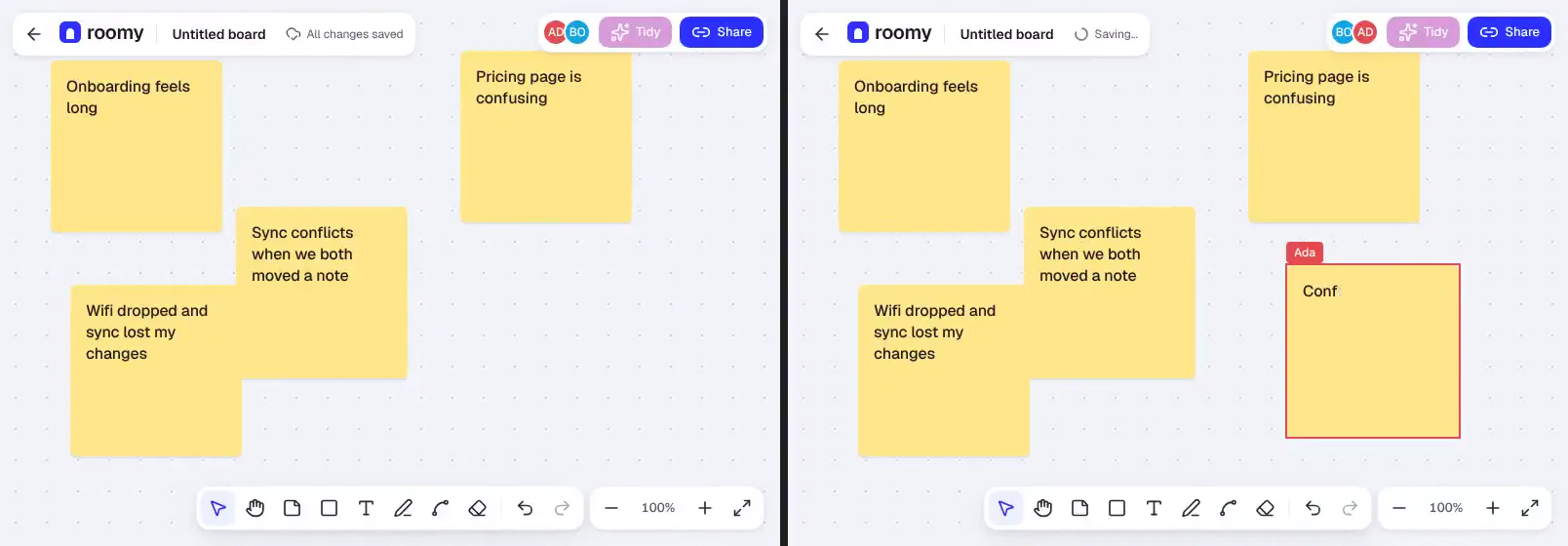
The board that crawls when the team joins
Cursors stutter, notes jump back, and someone says “just refresh, it’s broken”.
The wifi drops and the work goes with it
On a train, at a client site, in a busy café — your edits shouldn’t need a perfect connection.
Undo that undoes someone else
Hit ⌘Z and a teammate’s work vanishes. Soon nobody trusts the board.
The fix
Roomy picks up where the meeting leaves off.
The thinking happens in the room. Roomy does the busywork after it.
Instead of someone frantically typing notes
Talk. Roomy takes the notes.
Turn on Listen during a workshop and talking points land on the board as sticky notes. Missed the live session? Paste the Zoom, Meet or Teams transcript and get the board afterwards.
- Notes appear as people talk
- Works with any meeting tool
- Audio is never stored
Instead of an hour of dragging notes into piles
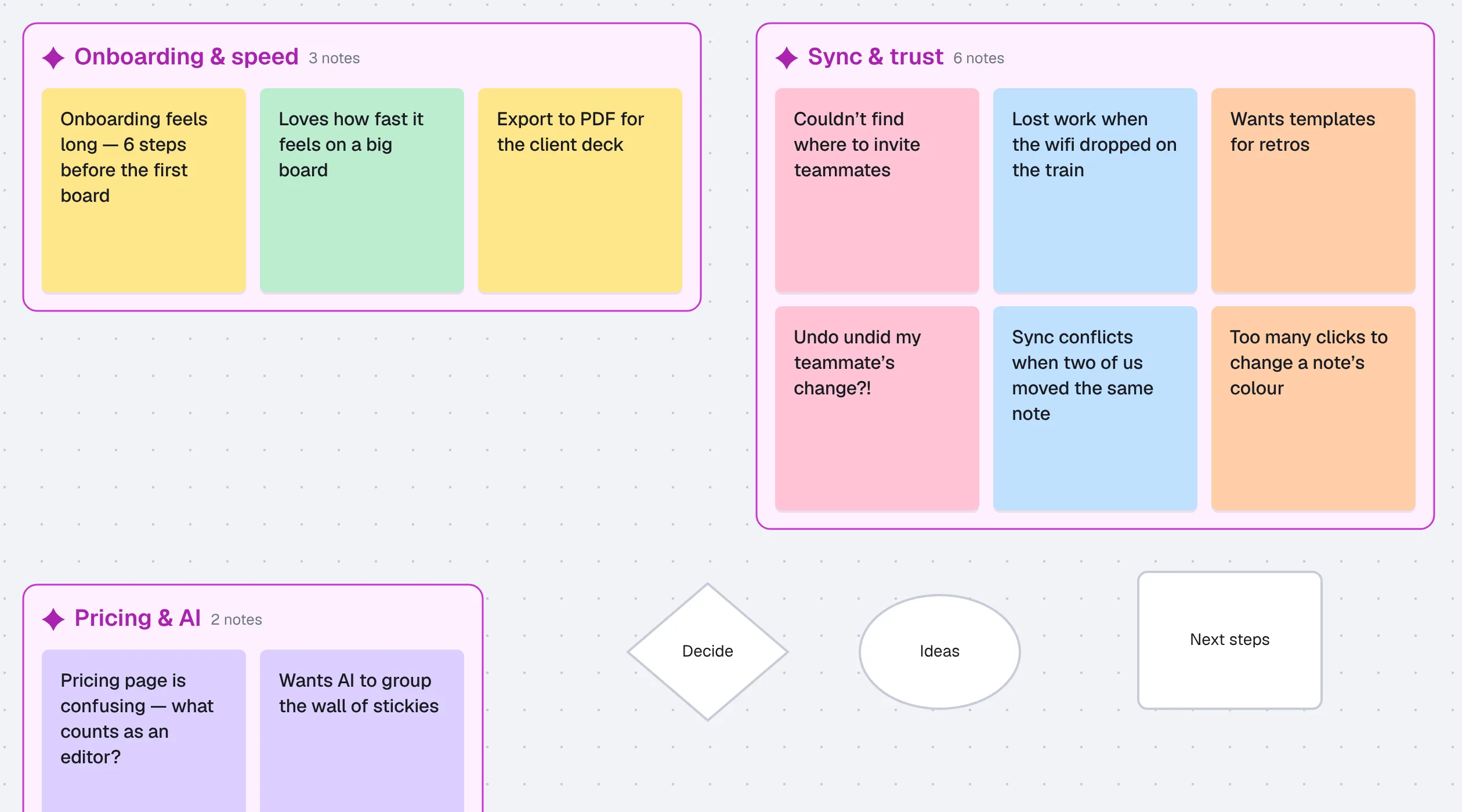
One click turns the wall into themes.
Tidy reads every note, finds the themes and animates them into labelled groups. You preview it first — nothing changes for your team until you accept.
- Preview, then accept or revert
- Shapes and drawings stay put
- One undo puts it all back
Instead of a recap nobody gets round to writing
Leave with a summary and owners, not a photo of a whiteboard.
Roomy writes a short summary of each theme and pulls out action items. Edit anything, then copy it to Slack or Notion, or download it.
- Summary per theme
- Action items with owners
- Copy to Slack or Notion in one click
Instead of a board that stutters or loses work
Smooth with the whole team. Even offline.
Live cursors for your whole team on boards with hundreds of notes. Lose the wifi and keep going — your edits merge cleanly when you’re back. And undo only ever undoes your own changes.
- Follow anyone’s view
- Keeps working offline
- Undo never touches a teammate’s work
Everything a facilitator reaches for
Shared timer
Everyone sees the countdown.
Dot voting
Let the room pick what matters.
Hide until reveal
No groupthink while ideas come in.
Bring everyone to me
One click and the whole room follows.
Photo to board
Snap a real sticky wall, get a board.
Version history
Go back to any moment, safely.
From meeting to clear next steps in three moves
- 1
Bring the conversation in
Start a board, turn on Listen, paste a transcript or snap a photo of the wall.
- 2
Think together, live
Everyone adds ideas at once — cursors, voting and a timer keep the room moving.
- 3
Tidy, summarise, share
One click for themes, one more for a summary with owners. Send it before the next meeting starts.
Free while we’re new
Every feature, for everyone. No card, no trial clock.
Roomy
$0for now
- Unlimited boards
- Live cursors, offline editing and per-person undo
- Tidy, summaries and action items
- Listen and transcript import
- Timer, dot voting, hide-until-reveal, bring everyone to me
- Photo to board and version history
- PNG and SVG export
AI features have a fair-use daily limit so the service stays up for everyone.
Questions people ask before switching
- Is Roomy really free?
- Yes. Every feature is free while Roomy is new: unlimited boards, live cursors, offline editing, export, Tidy and the facilitation tools. No card needed. If that ever changes, you’ll hear well in advance.
- Does Listen record our meeting?
- Listen turns speech into notes as you go. Audio is never stored, everyone on the board sees that it’s on, and you can delete the transcript any time.
- Will Tidy change my board without asking?
- No. You see a preview first, and nothing is saved or shown to your team until you accept. One undo puts everything back.
- What happens if the wifi drops mid-workshop?
- Keep working. Edits are saved on your device and merge with everyone else’s when you reconnect.
- Do my teammates need an account?
- Anyone with the board’s link can join and edit. Signing in keeps your boards in one list and shows your name on your cursor.
- Why is there a limit on AI?
- AI costs real money each time it runs, so there’s a fair-use cap per person per hour. Tidy still works without AI, using a built-in method.